Global USD Account
A USD account to send, receive and withdraw funds.
Activate it in the Fasset app, share your account details to get paid, and spend, send or invest from your balance.


Benefits
Get paid with your account details
Share your USD account with employers, clients, or platforms.
Hold USD
Keep a USD balance in your Global USD Account in the Fasset app.
Withdraw to a bank account
Transfer USD from your account to a bank account. The app shows the fees before you confirm.
Invest from your balance
Use your account balance to buy crypto or real-world assets on Fasset. Investment values can fall.
How it works
Open the USD account tile
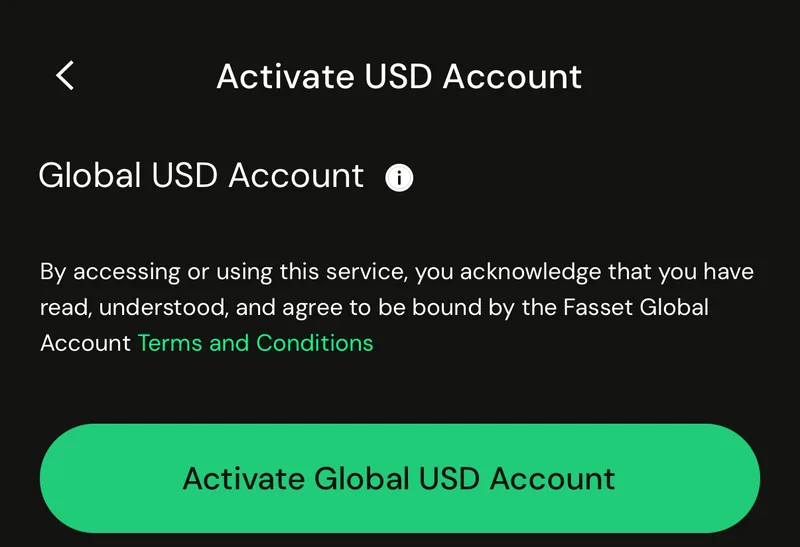
From Home, tap the USD account tile to see the Global USD Account details.
Activate the account
Tap Activate Global USD Account. The app shows the account creation fee and the activation time before you go ahead.
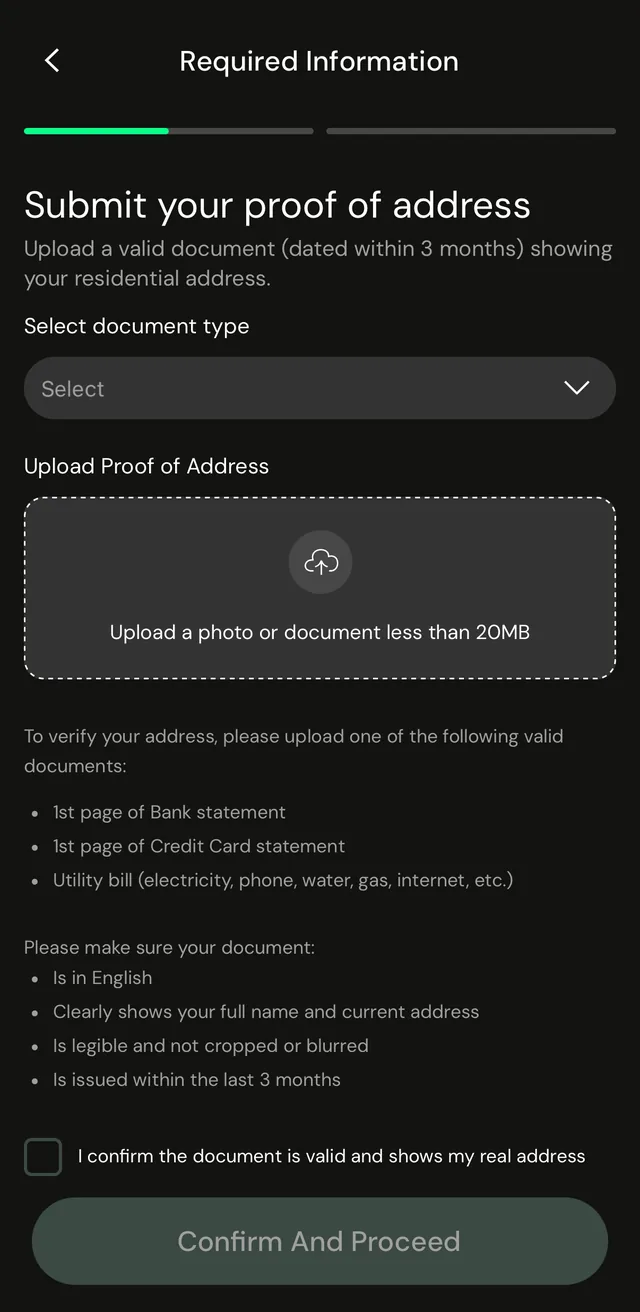
Confirm your address
Upload one document showing your residential address, dated within 3 months: the first page of a bank or credit card statement, or a utility bill.
Receive and send USD
Once the account is active, Receive shows the account details to share, and Send moves USD to a bank account.
Frequently asked questions
A USD account in the Fasset app. You can share its account details to receive payments, and spend, send or invest the funds in it.
A verified Fasset account and a proof of address dated within 3 months, such as the first page of a bank or credit card statement, or a utility bill. The document must be in English and clearly show your full name and current address.
The activation screen shows the account creation fee and the activation time before you go ahead. Fees and timings are shown in the app before you confirm.
It depends on your account. If the Global USD Account is not enabled for your account, the app tells you.
Open your Global USD Account and tap Receive. The app shows your account details to share.
Get the Fasset app.
Or leave your email and we'll be in touch about the Global USD Account.