Add money
How would you like to add money?
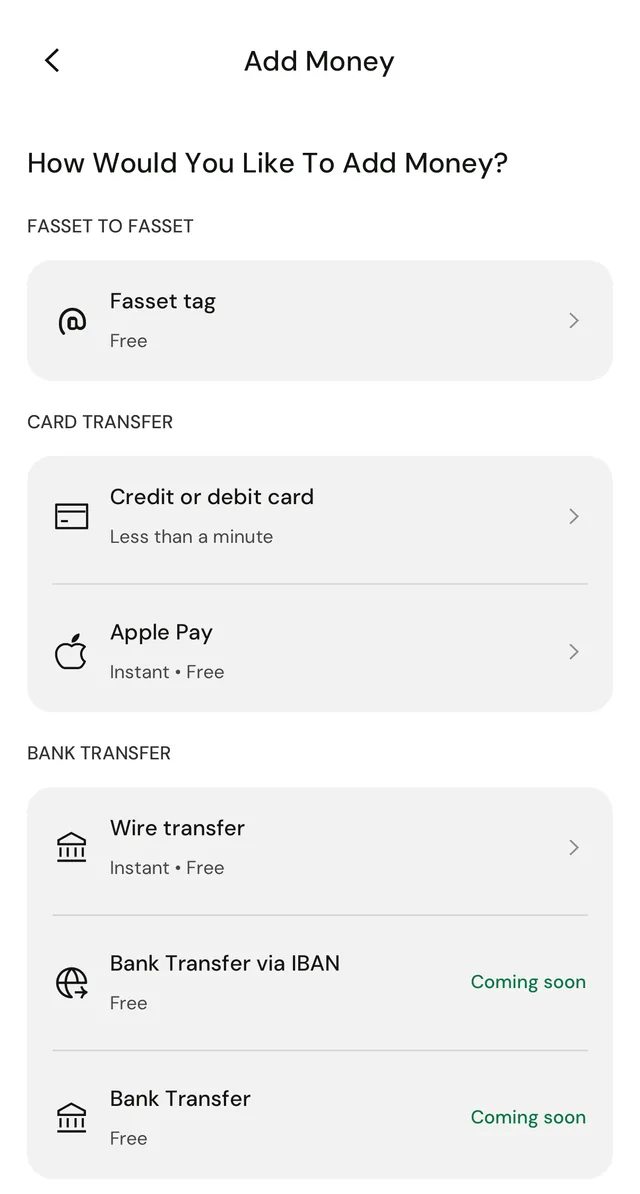
Add money from a card, Apple Pay, a bank wire, crypto, or another Fasset account. The app shows the timing and fee of each option before you pick one.


Benefits
Card or Apple Pay
Pay in with a credit or debit card, or with Apple Pay. The card option shows a processing time of less than a minute.
From another Fasset account
Anyone on Fasset can send money to your Fasset tag.
Crypto transfer
Deposit crypto such as USDT, USDC, BTC, ETH and SOL. Transfer time and fees depend on the network.
Bank wire transfer
Wire money from a bank account in your name. The app marks its other bank transfer options Coming soon.
How it works
Tap Add money
From Home, tap Add money to open the list of ways to add money.
Choose how to pay
Pick card, Apple Pay, wire transfer, crypto transfer or Fasset tag. Each option shows its timing and fee.
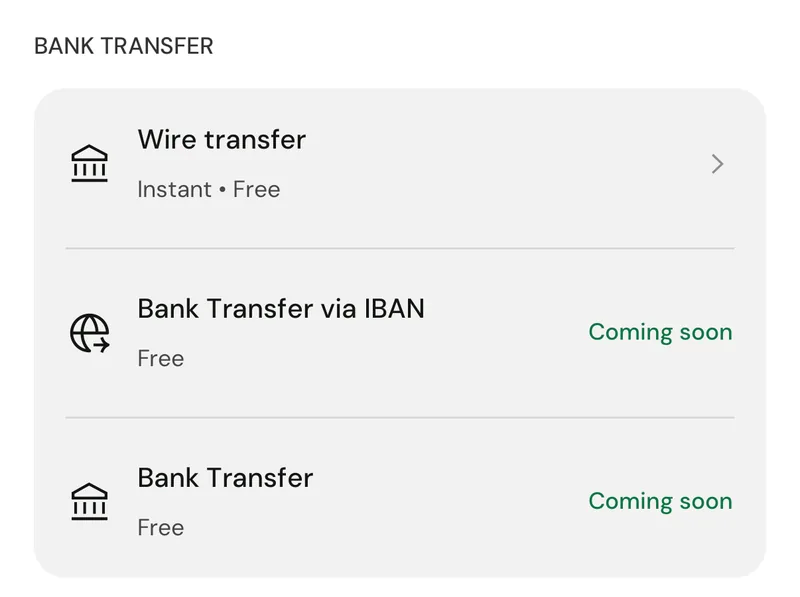
Illustrative screen. Fees and timings are shown in the app before you confirm. Enter an amount and preview
For a card, type an amount or tap a quick amount, then tap Preview to see the fee and total before you confirm.
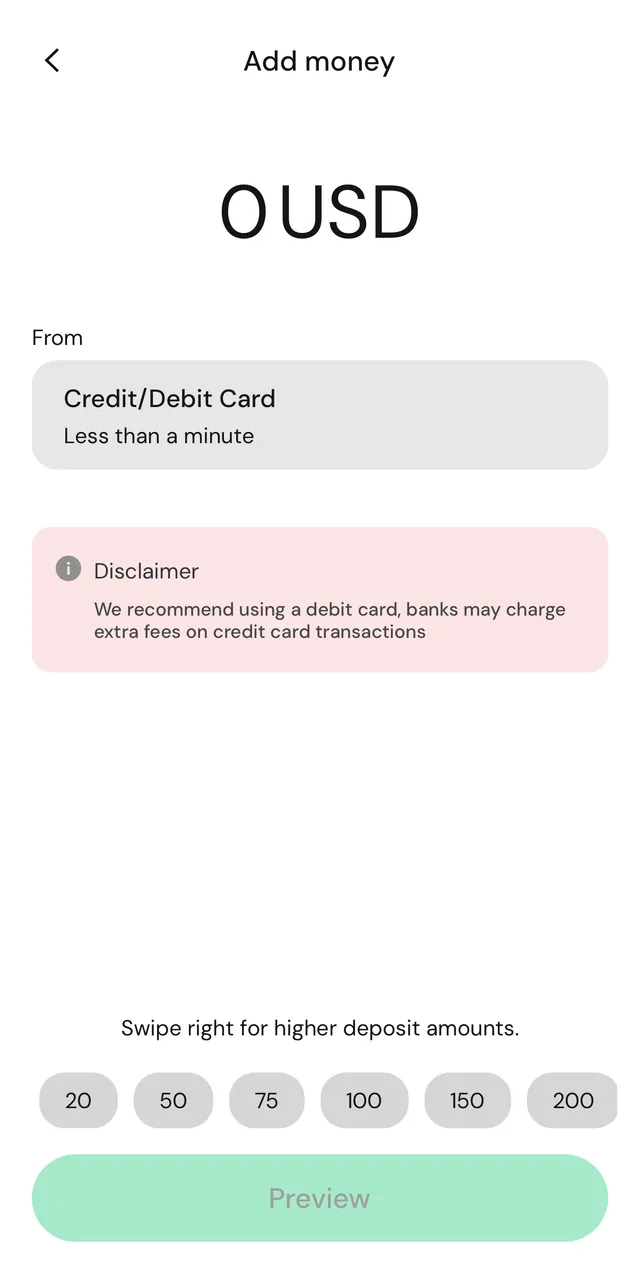
Illustrative screen. Fees and timings are shown in the app before you confirm. Or send crypto in
For a crypto transfer, choose the asset you want to deposit, then the network.
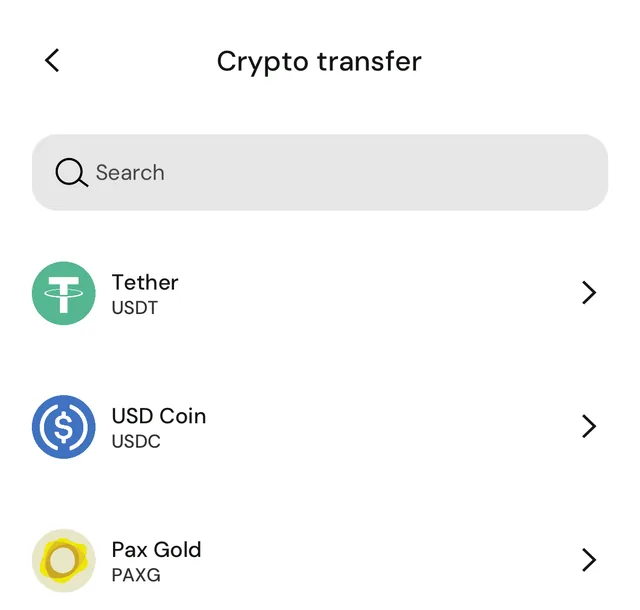
Frequently asked questions
Open Add money in the app and pick a method: credit or debit card, Apple Pay, wire transfer, crypto transfer, or a Fasset tag transfer from another Fasset account.
The app shows a processing time for each method. Card top-ups show less than a minute. Crypto transfer times depend on the network.
The app tells you if your account needs verification before you add money, and what you can do until it is verified.
Make sure the network you choose to deposit on matches the network you withdraw from. If they do not match, the assets may be lost.
Get the Fasset app.
Or leave your email and we'll be in touch about adding money.